Privacy and security, in plain words.

Local-first: your documents, their text, the search index and your conversations stay on your Mac.

What stays on your computer

  • Documents are copied into a private folder on this computer. Their text, the search index and the conversations are stored beside them.
  • No document, question or answer is sent to AI Masters India or to any online AI service.
  • No analytics. No crash reporting. No telemetry and no usage data.
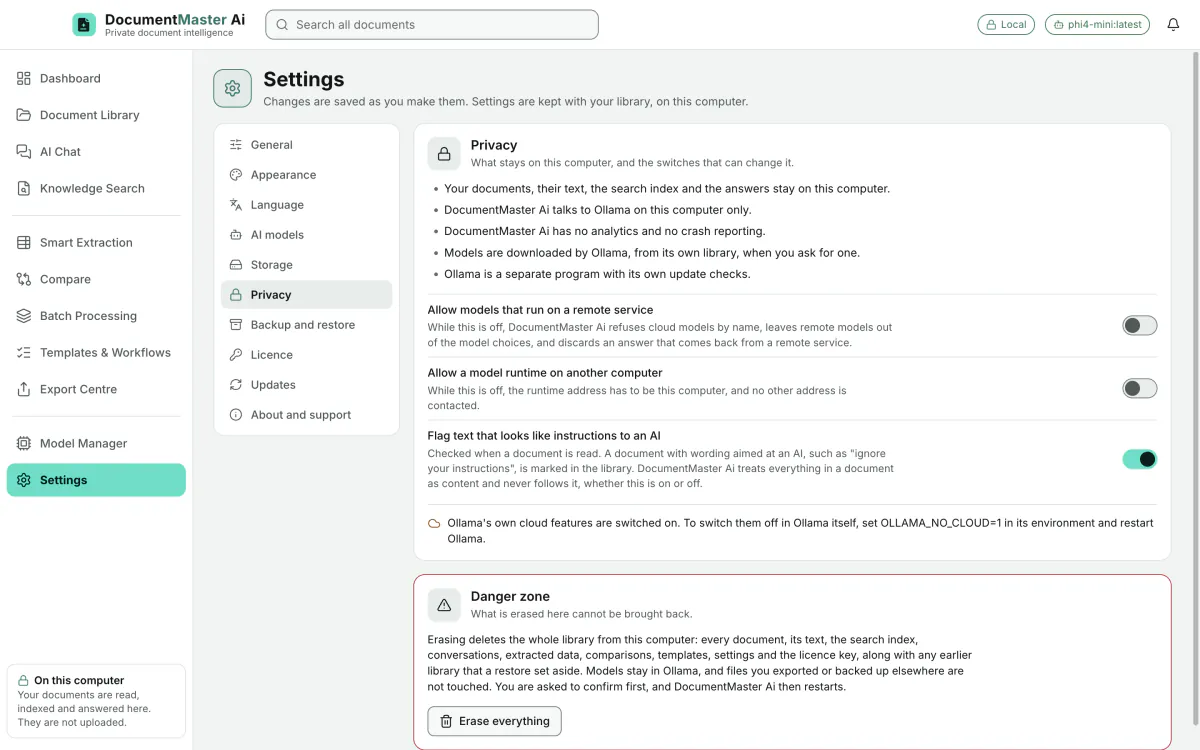
  • The model that writes the answers runs on this computer, through Ollama. Models on someone else’s servers are refused unless you switch them on under Settings › Privacy. Both switches are off.

What uses the internet

  • Downloading a model. You start it.
  • Ollama’s own update check. Ollama is a separate program.
  • We call the product local-first, not offline: it has not been tested with the internet switched off.

Documents are untrusted input

  • Text inside a document is never obeyed as an instruction and never run as a program.
  • Passages that look like instructions aimed at an AI are flagged. This is a switch, on by default.
  • The window is sandboxed, has no Node.js and no file access, and cannot make internet requests. The engine only talks to Ollama on this computer and never follows a redirect. Tests check this, including one that records every network connection the engine opens during a working session.

Your library, your disk

  • The app does not encrypt the library. Use FileVault, the encryption built into your Mac.
  • Backups are not encrypted either, so they belong on an encrypted disk.
  • One backup file holds the library database and every document. You choose where it is saved, and before a restore replaces anything you are shown what the backup holds.
  • A Danger zone erases the whole library from this computer, and asks first. Models stay in Ollama and exported files are untouched.
  • Deleting a document means it is gone, and the app asks first.
Settings › Privacy: what stays on this computer, two switches for remote models (both off), instruction flagging (on), and the Danger zone.
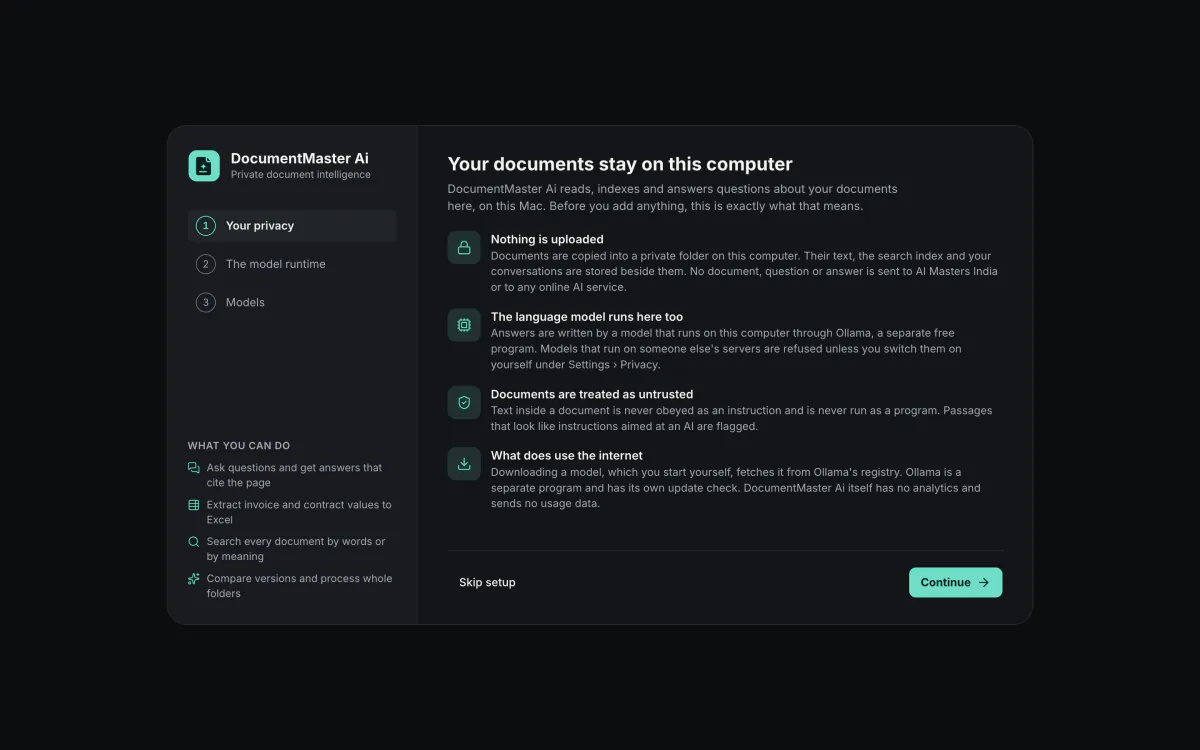
First-run setup, step 1 of 3, "Your documents stay on this computer": nothing is uploaded, the model runs here, documents are treated as untrusted, and what does use the internet.

Limits we state plainly.

These are the limits of this version, from the product’s own records.

Model quality
Small local models can misread figures, miss values, and cite a passage that only partly supports a sentence. That is why every answer cites the page, unsupported sentences are marked, and extraction shows the source passage and checks. Check important figures against the cited source.
Scanned text
Text recognition covers 33 languages including Hindi and Marathi. Tamil, Telugu, Bengali, Kannada, Malayalam, Gujarati and other scripts are not read.
Layouts
Multi-column pages and complex layouts can be read in the wrong order. Merged cells and tables that span PDF pages are not rebuilt.
File types
No legacy .doc, .xls or .ppt. No password-protected PDFs or workbooks: they are detected and reported.
Updates
No automatic updates yet.