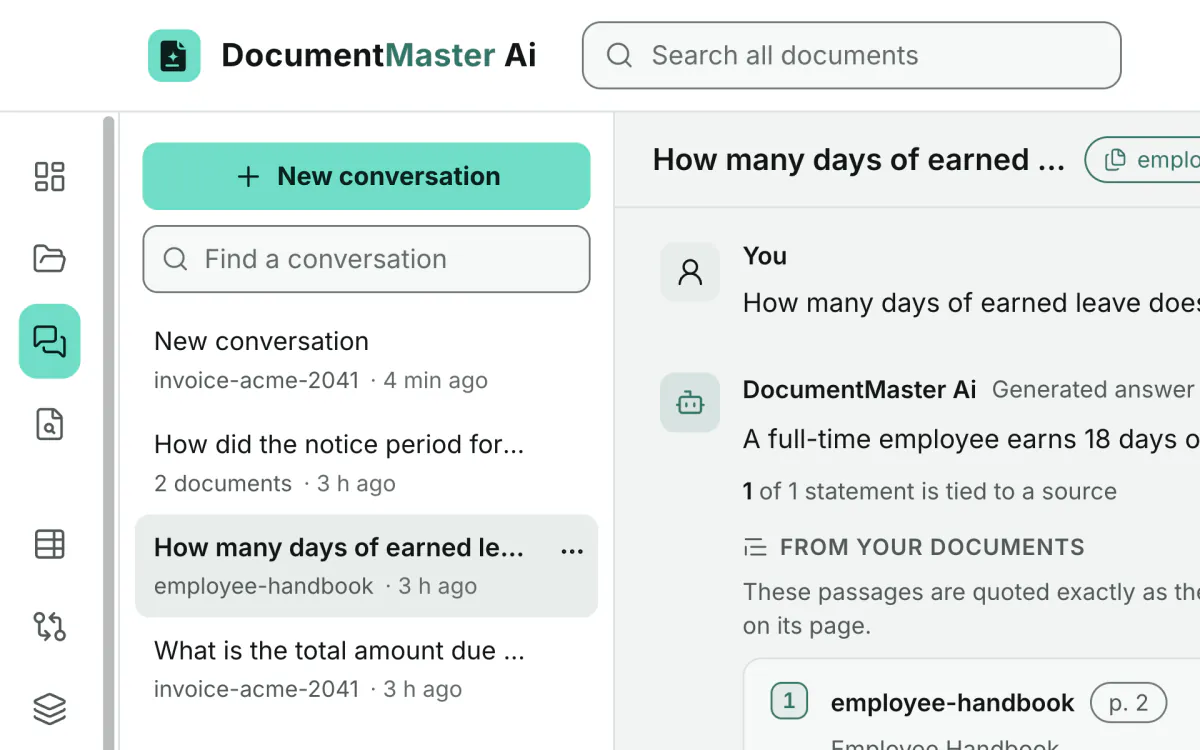
Cited answers
Every answer points to the document and the page it came from. Open the page behind any citation and the passage is highlighted.
See the chat features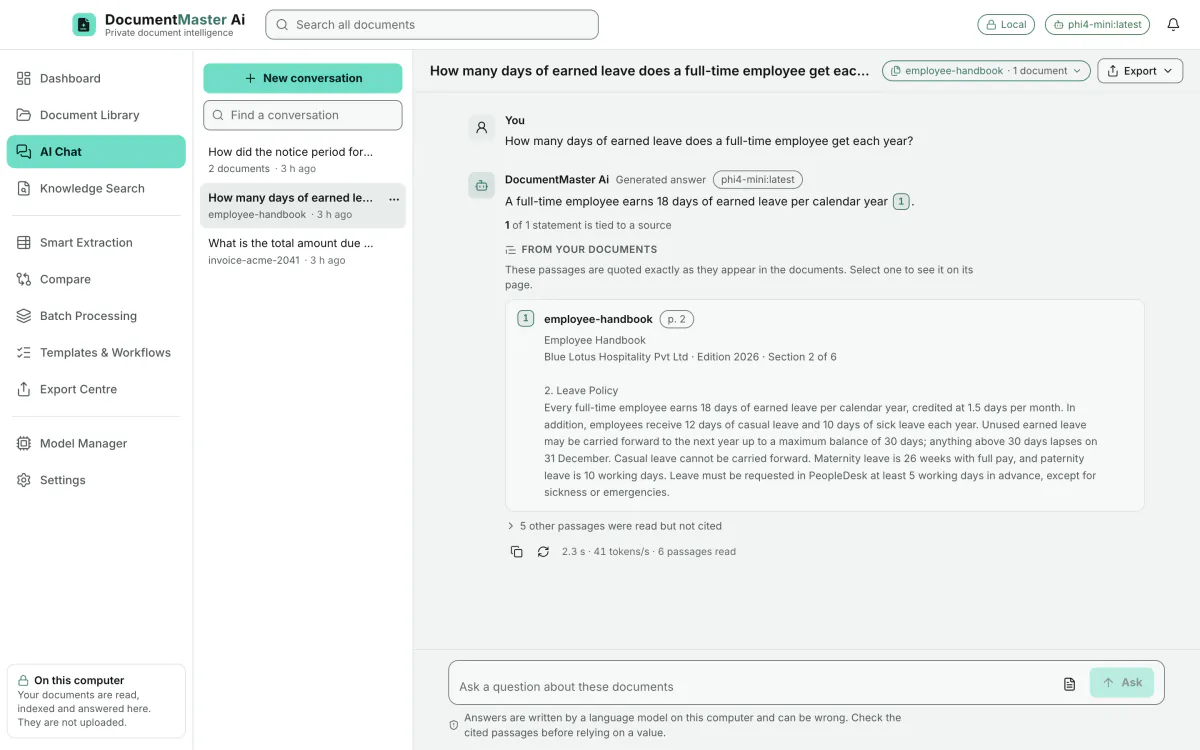
Affordable, private document intelligence for one person. Pay monthly, yearly or once.
DocumentMaster Ai is not released yet. This is a pre-launch site: there is no download and no checkout.
DocumentMaster Ai reads your documents on your own computer. Nothing is uploaded to an AI service.
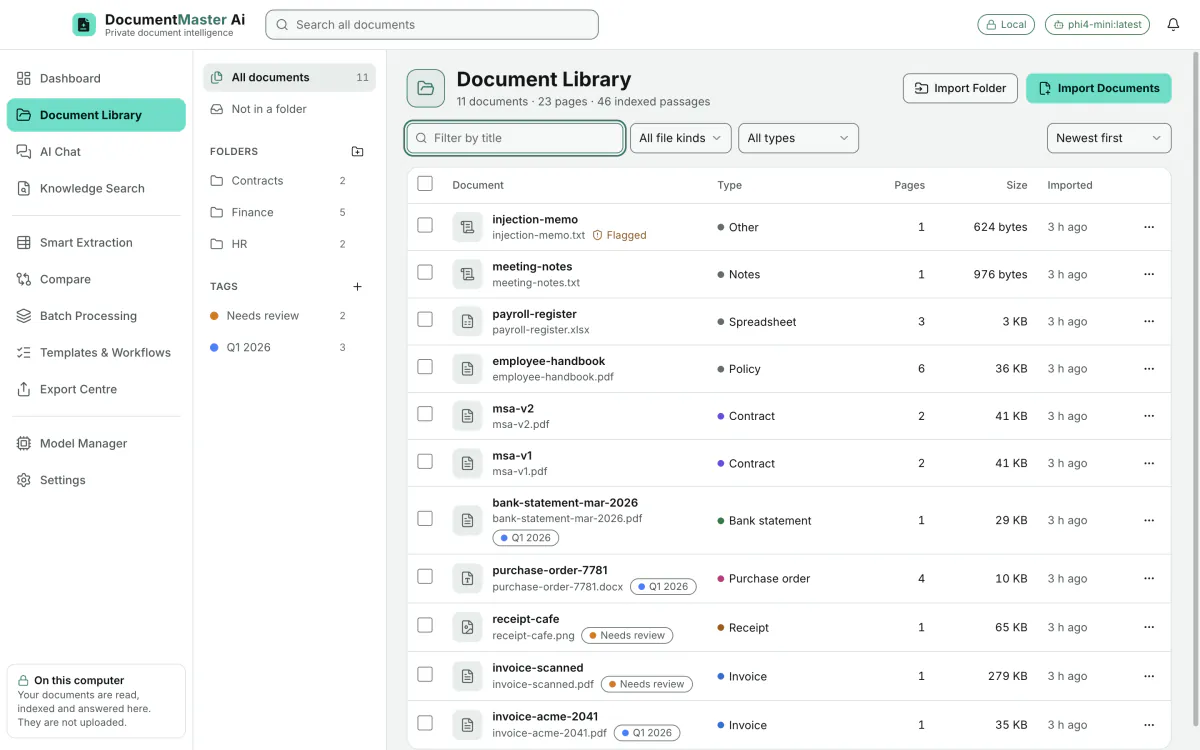
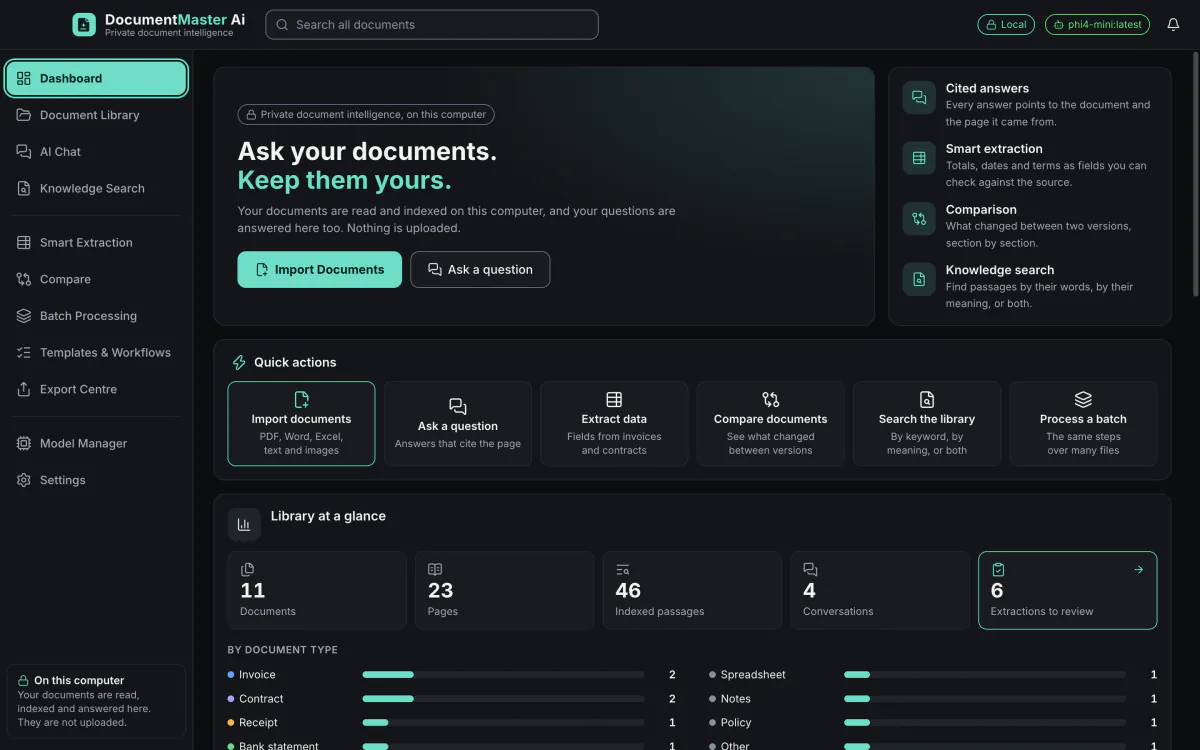
The dashboard shows the library at a glance, with recent documents and the status of the local AI.
The Document Library holds every file you import. Each one is read and indexed here on this computer.
Import PDF, Word, Excel, text and image files, one at a time, many at once, or a whole folder.
Open any document to read it. Each one shows its type, its pages and its size.
AI Chat answers questions about one document, several, a folder, or the whole library.
Ask a question in plain words. The answer is written here, on this computer.
Each answer keeps its sources. Select a citation to open the page it came from.
Knowledge Search finds passages by words, by meaning, or by both together.
Type a phrase and every matching passage appears, with the document and the page it is on.
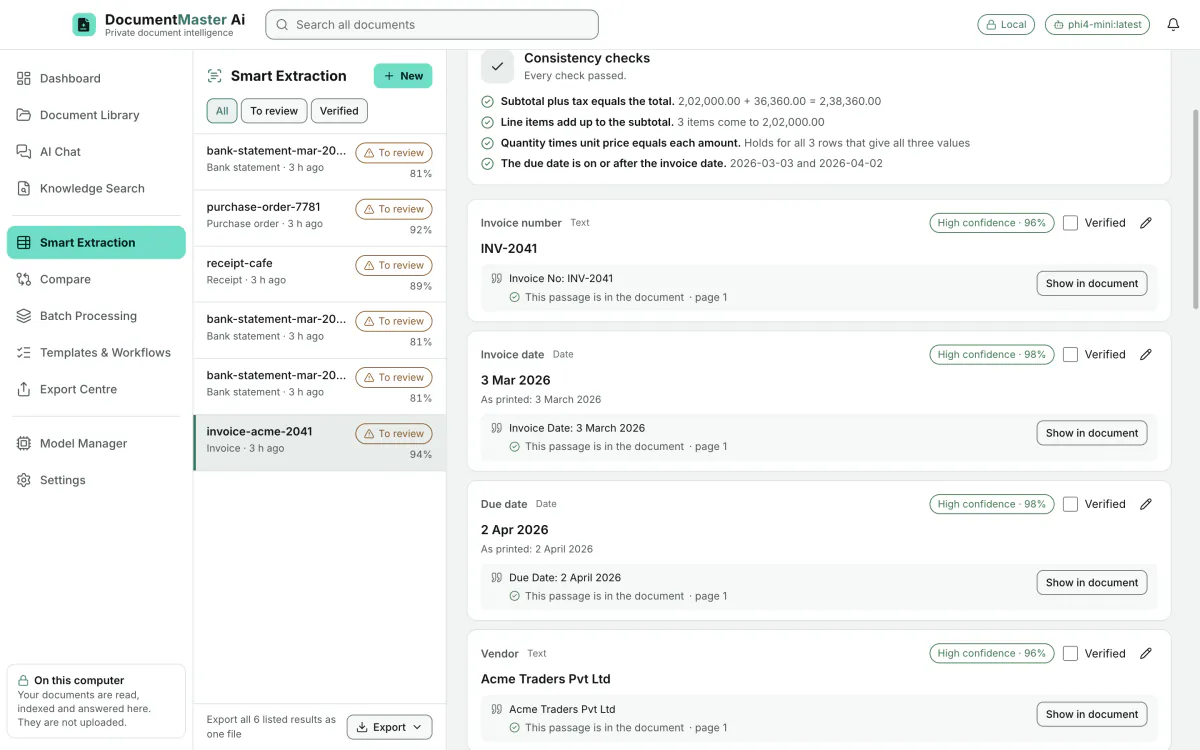
Smart Extraction pulls fields from invoices, receipts, bank statements and contracts into a table.
Every value comes with the passage it was read from, so you can check it before you export.
Compare shows what changed between versions, clause by clause and field by field.
Batch Processing runs the same steps over many documents, and you can pause, resume or retry only what failed.
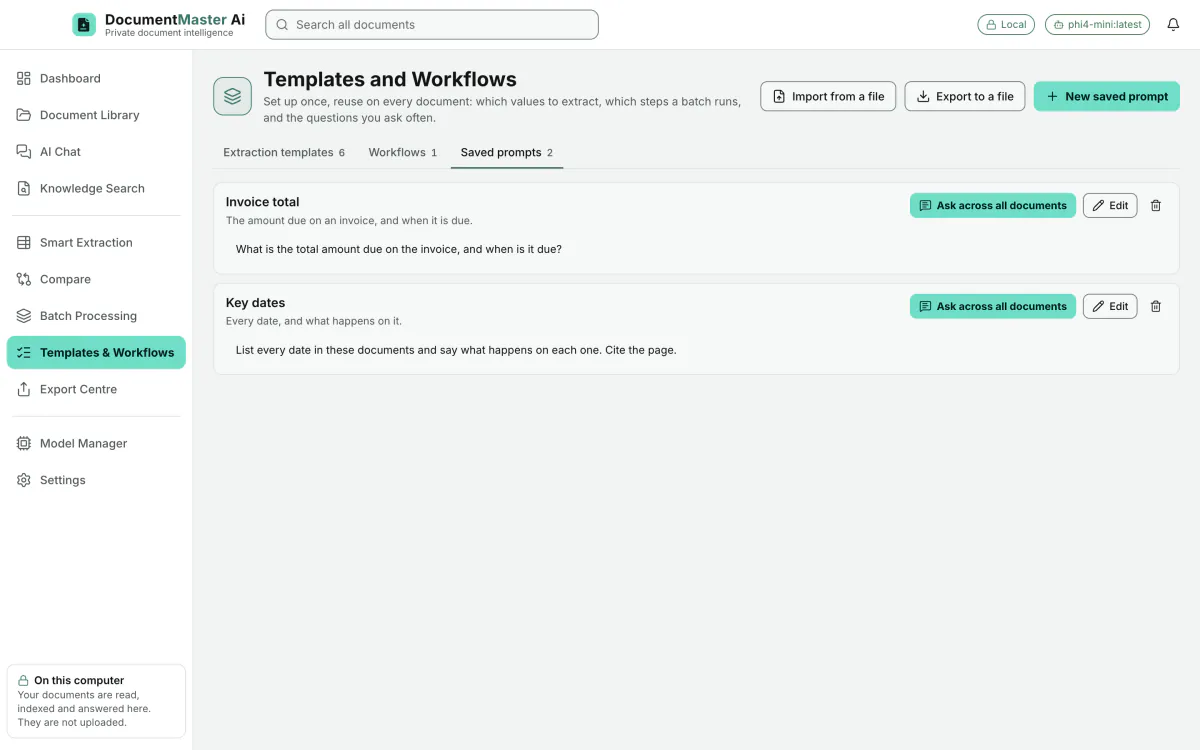
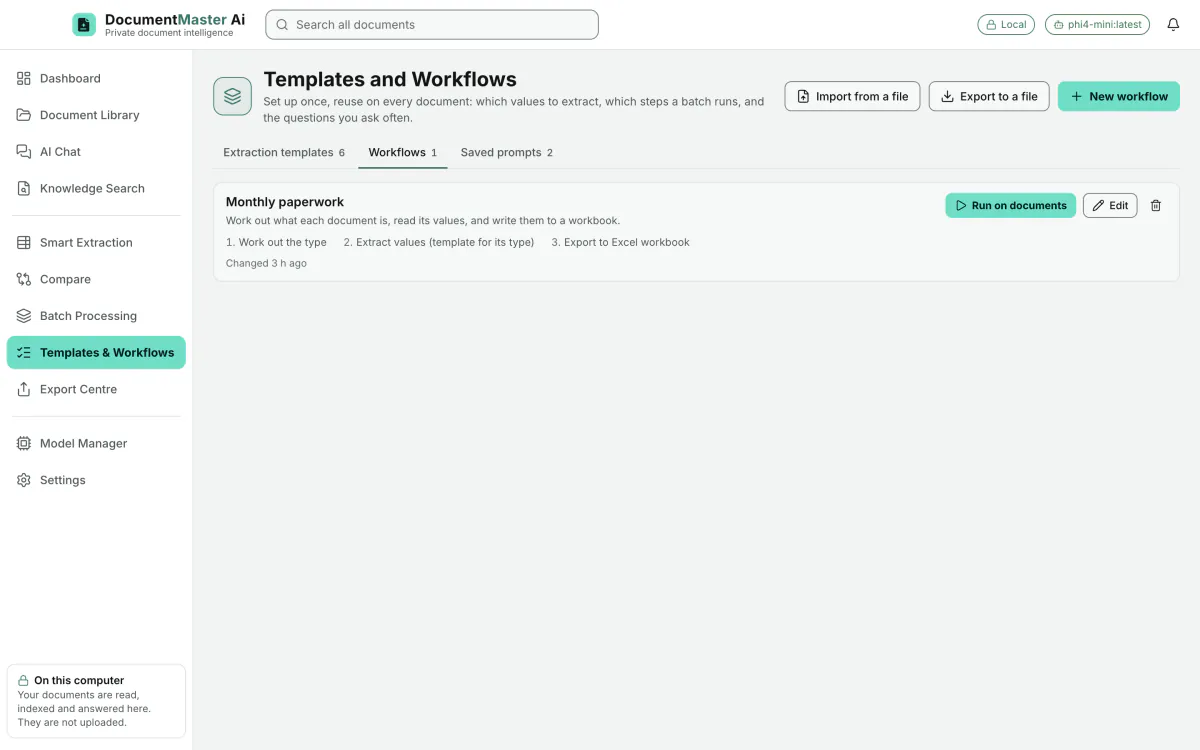
Templates and workflows keep your extraction setups and batch steps, ready to reuse or share with another computer.
The Export Centre lists every file the app has written, and shows where each one is.
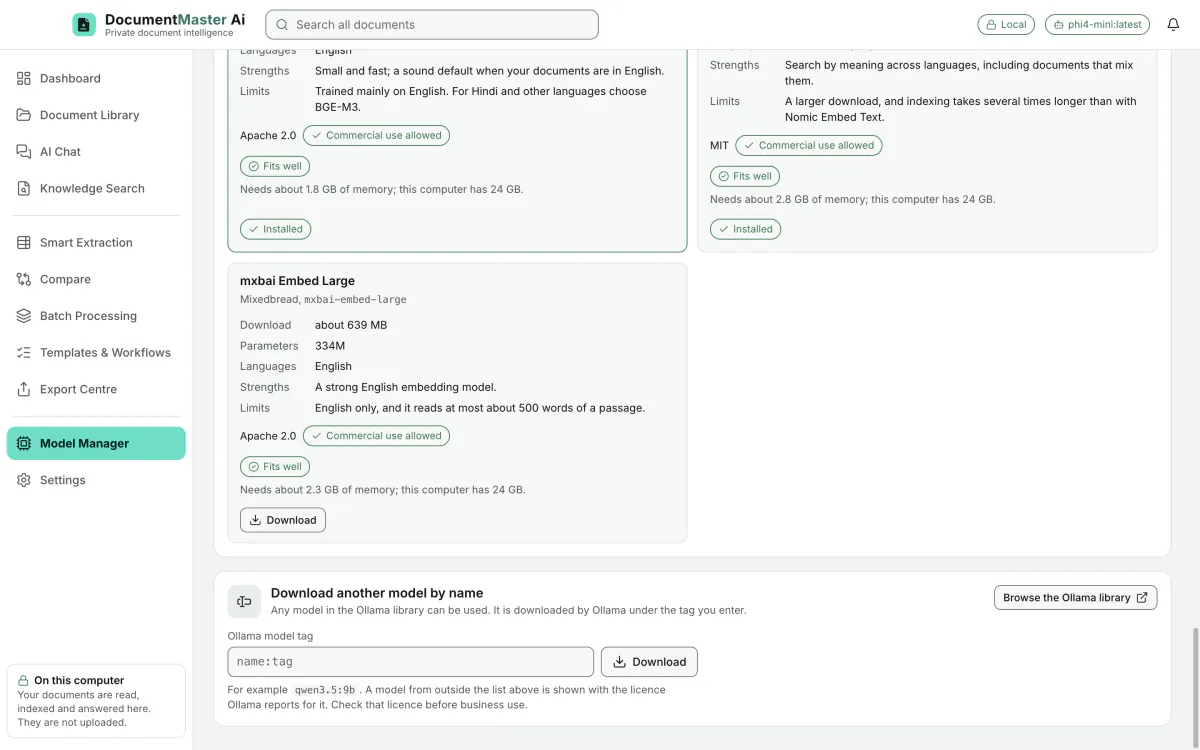
The Model Manager shows which local AI models fit this computer, and checks each model's licence.
Settings control the language and the look of the app, and show where the library is kept.
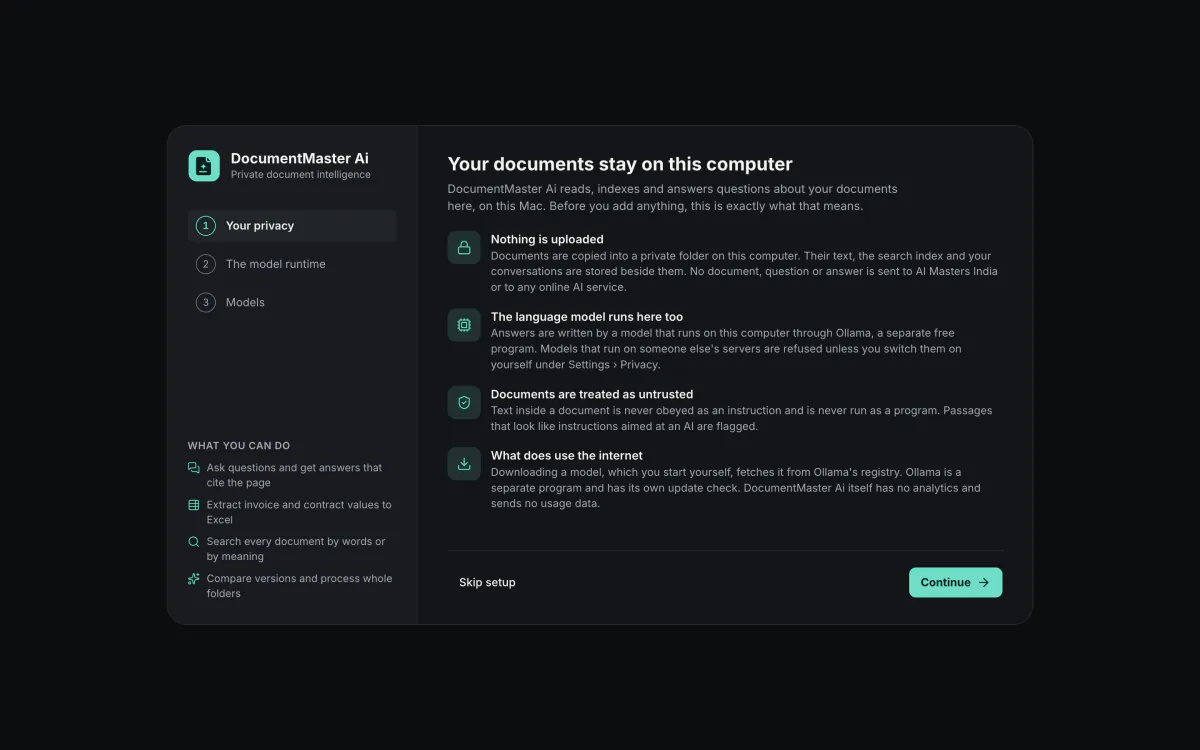
It starts on your Mac and stays there.
It checks for Ollama, a separate free program that runs the models.
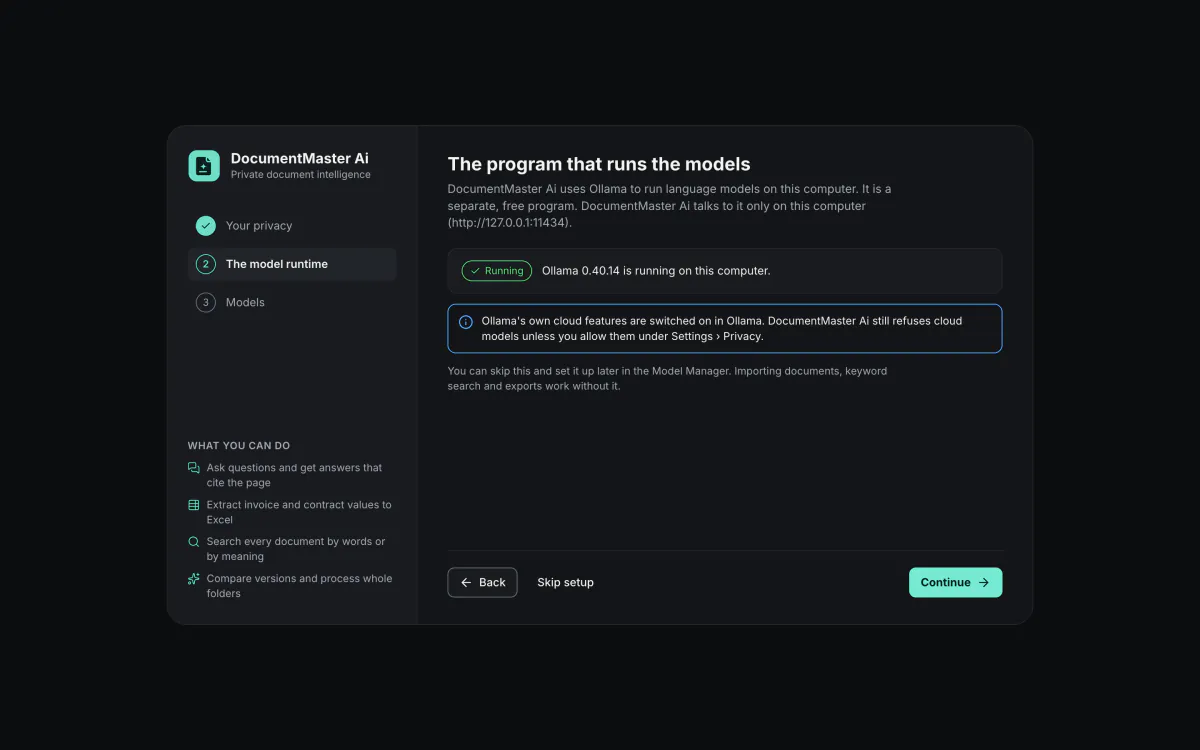
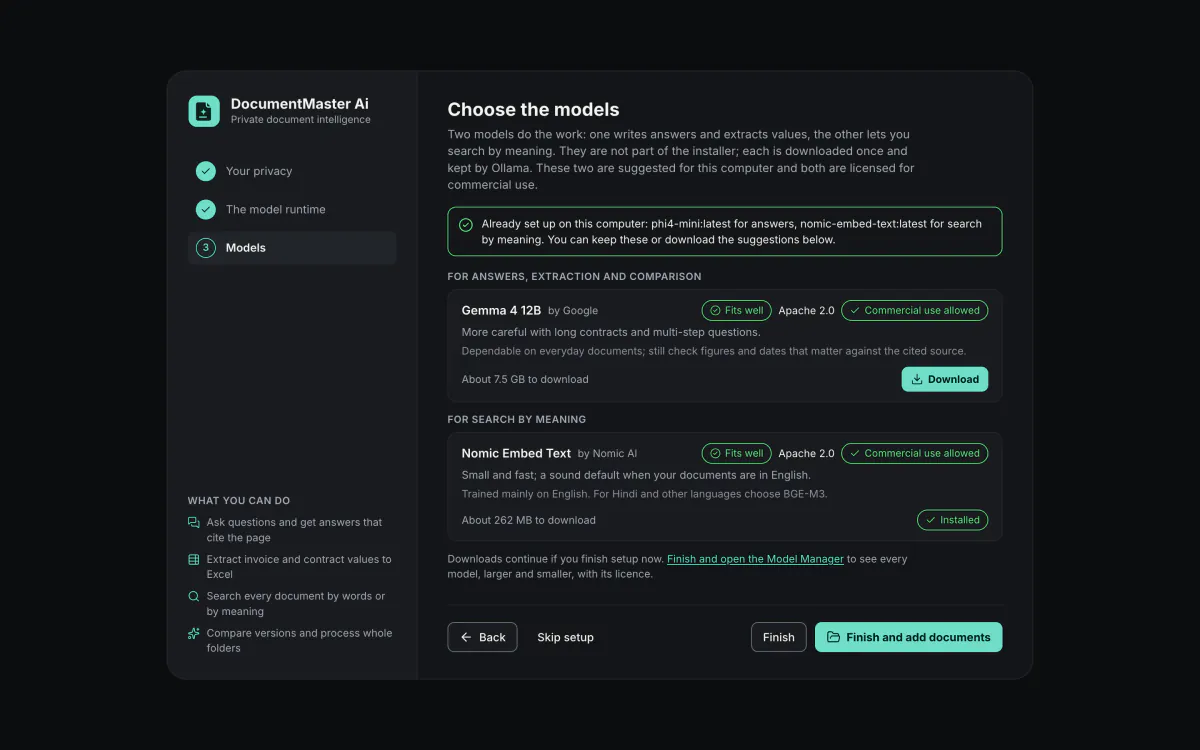
Downloaded once from inside the app. The setup suggests one answering model and one search model that fit your Mac.
Answers come with the document and the page they came from.
Every answer points to the document and the page it came from. Open the page behind any citation and the passage is highlighted.
See the chat featuresTurn invoices, receipts, bank statements and contracts into data. Every value comes with its source passage, a confidence score and arithmetic checks.
See the extraction features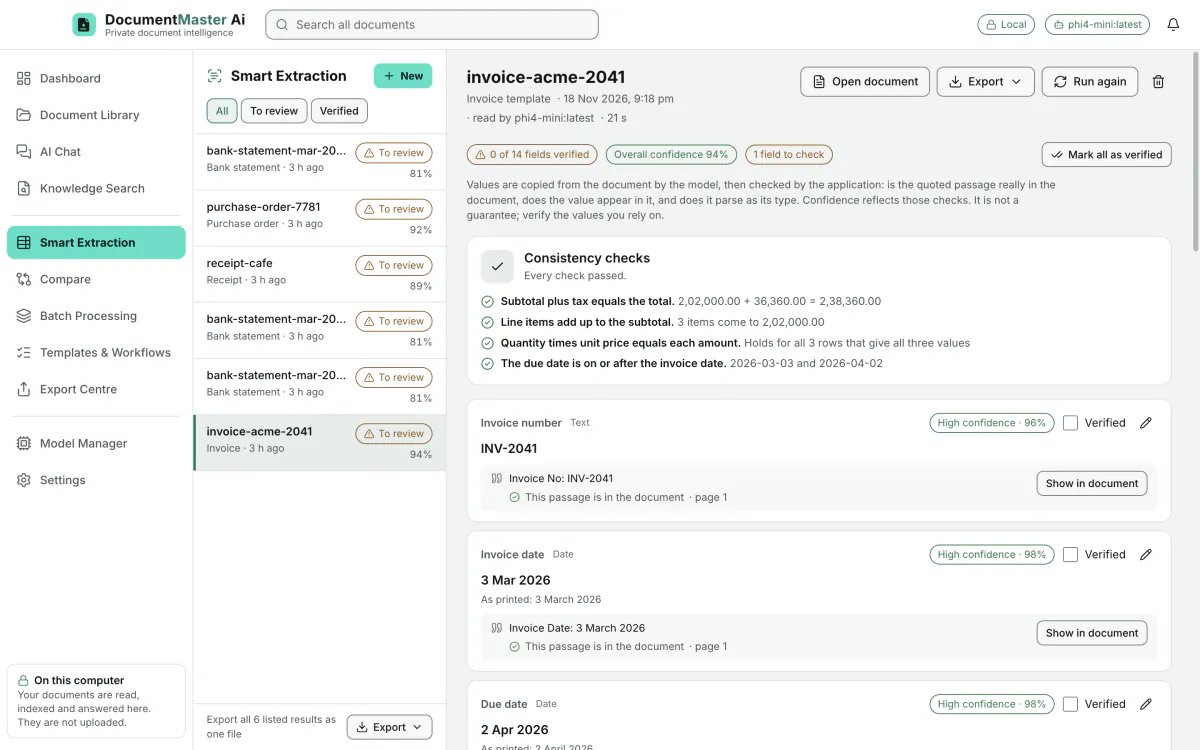
See what changed between two versions of a contract. Changed amounts, percentages, periods and dates are listed on their own.
See the compare features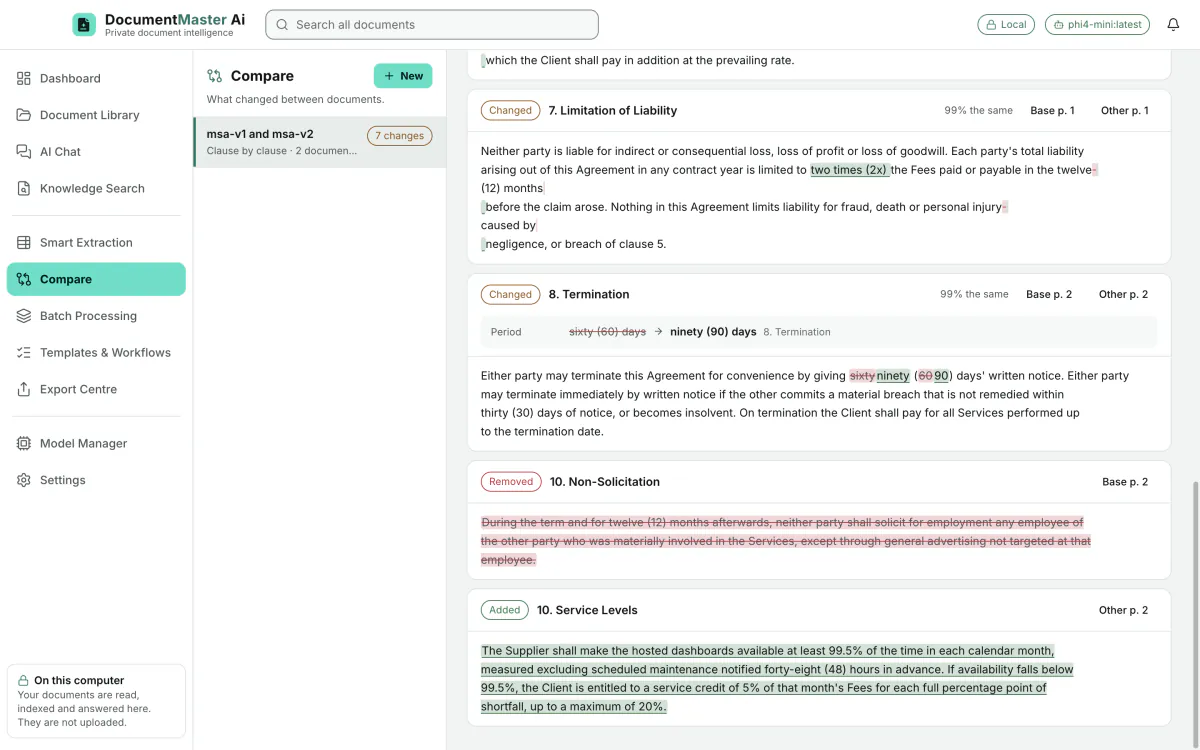
Search by words, by meaning, or both. Results open at the exact passage with the matched words highlighted.
See the search features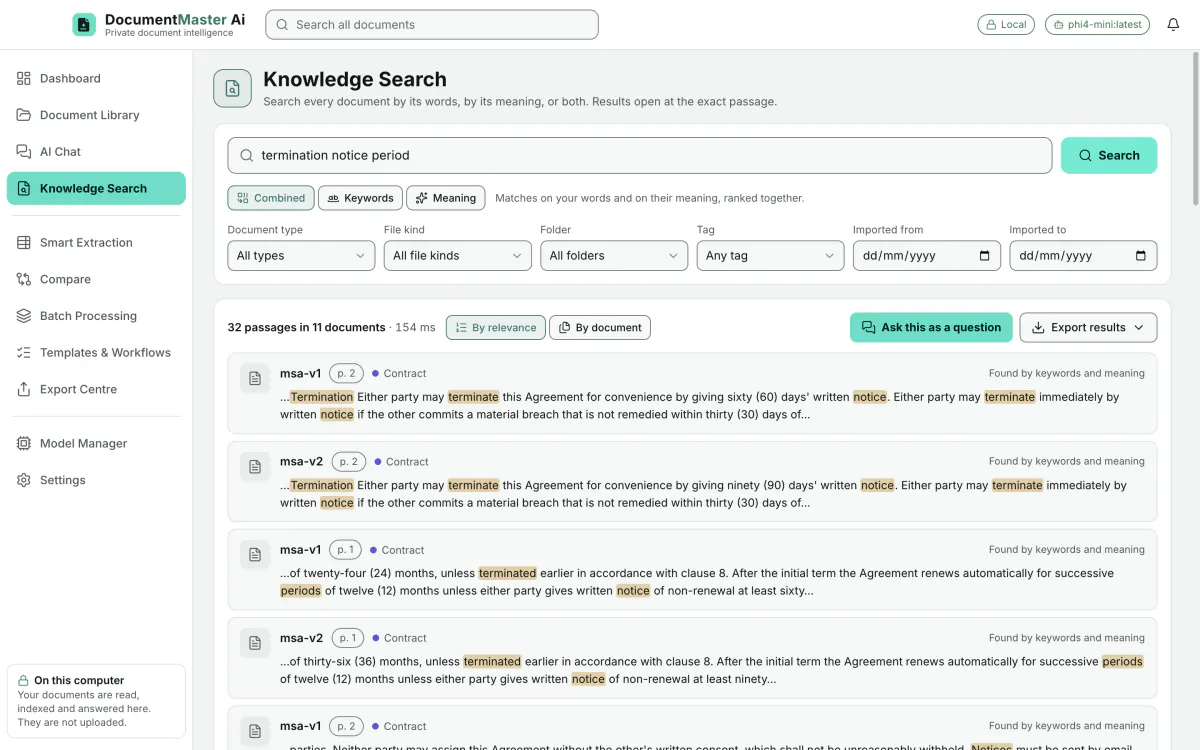
Define the fields you want read from a document, and keep the questions you ask often.
See templates and prompts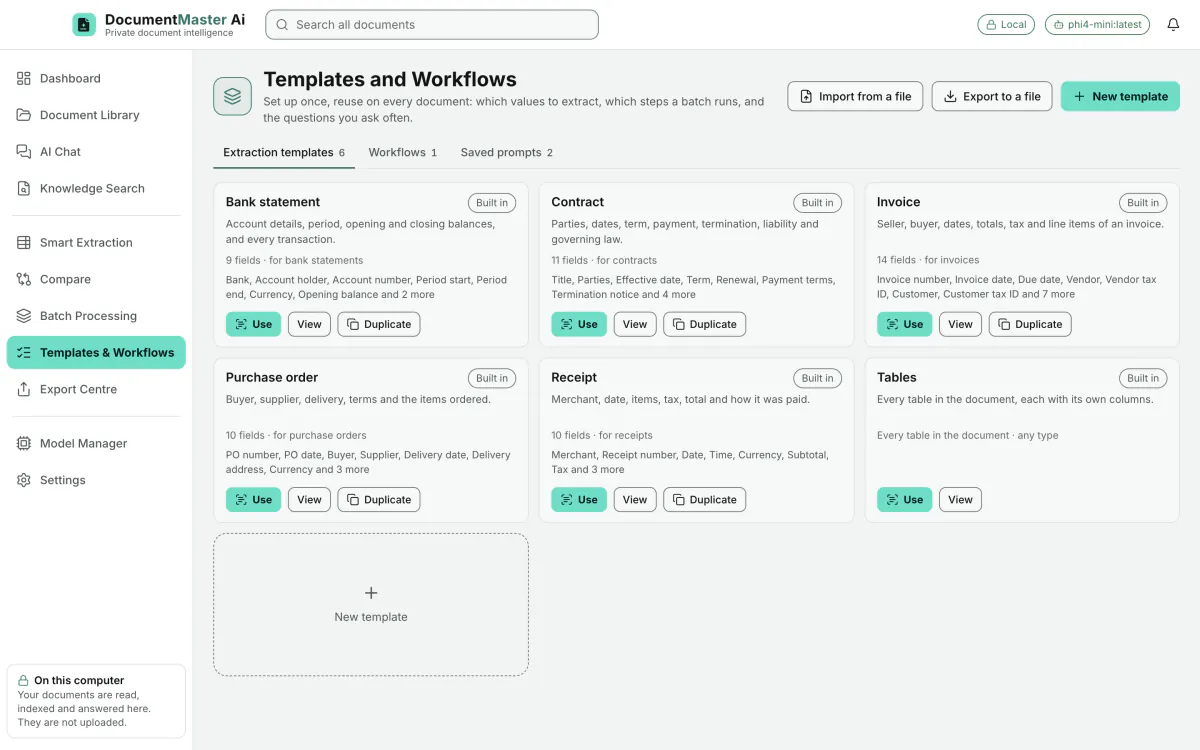
Run a whole folder in one go, with a results file and a retry for any that fail. Save the steps as a workflow and run it again next month. Every edition has both; each plan sets how many documents a batch can hold.
See batch processing and workflows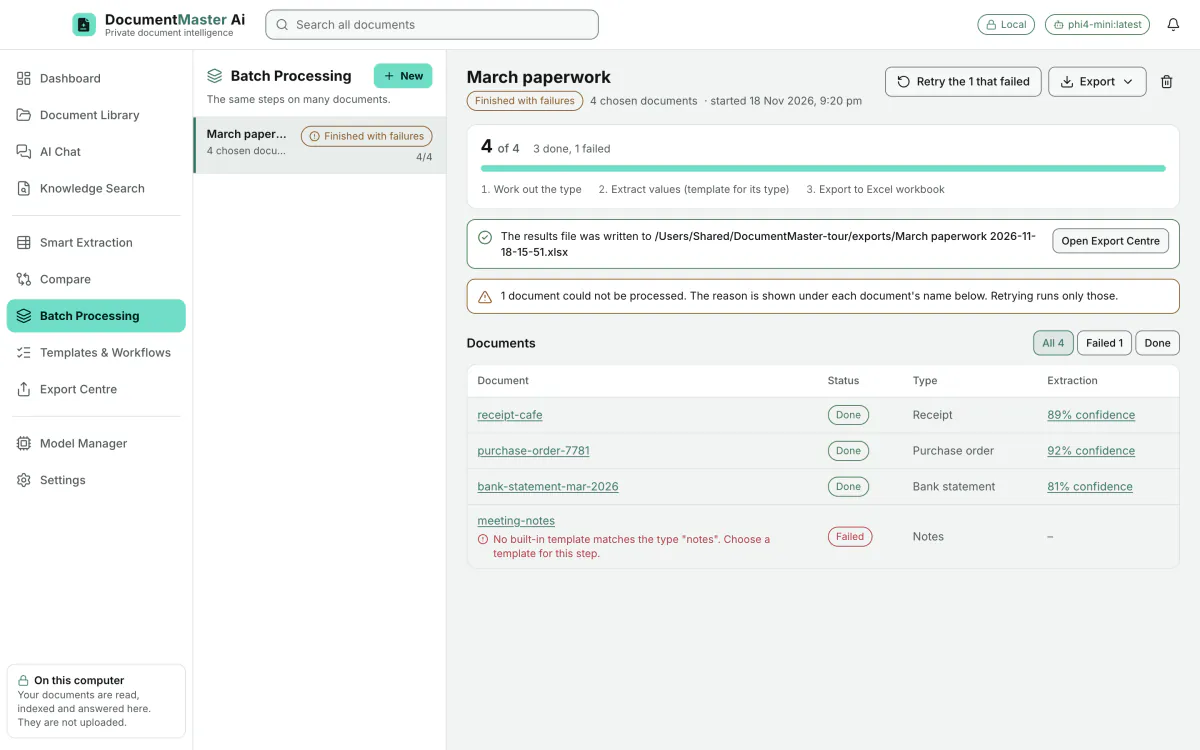
PDF report, Word document, Excel workbook, CSV, JSON and Markdown, depending on what you export. The Export Centre lists every file and where it is.
See the export features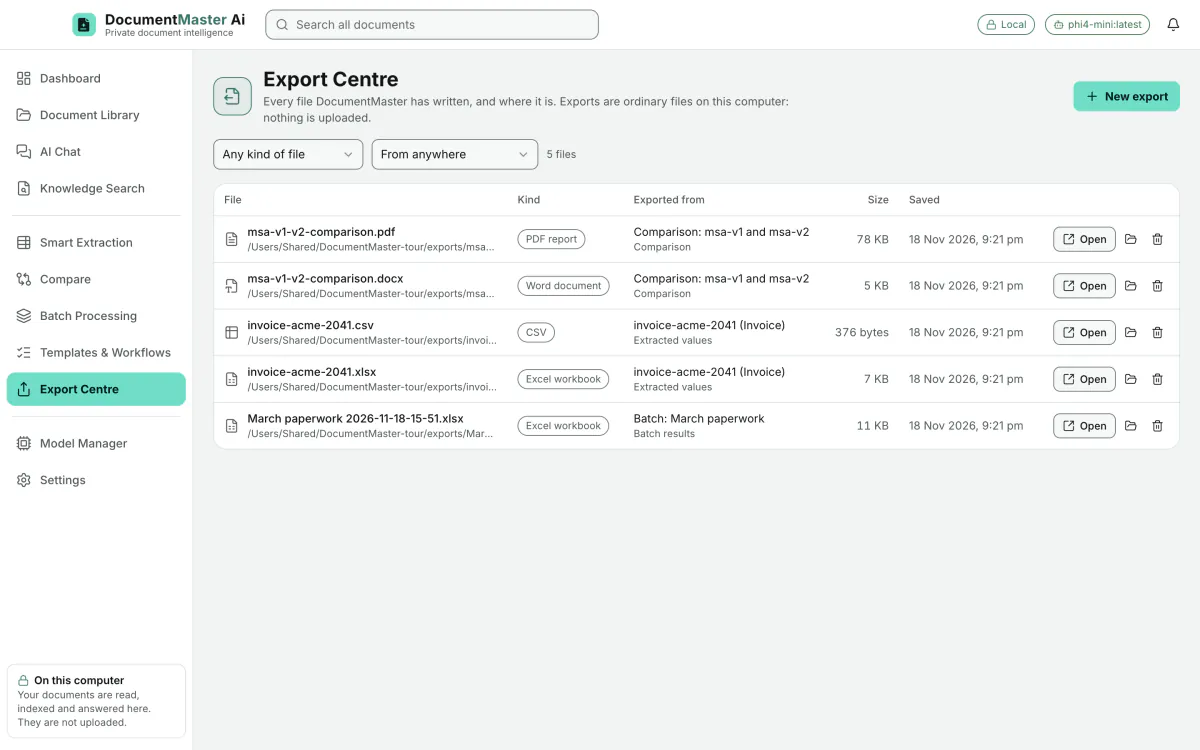
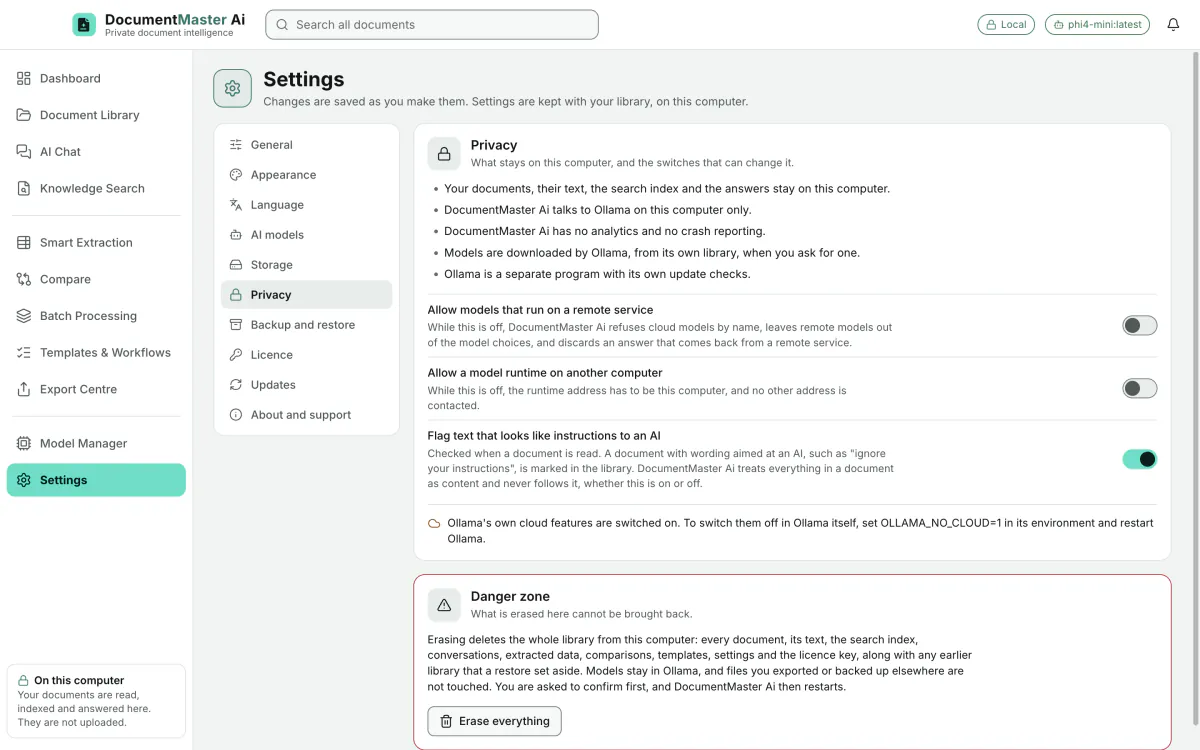
Documents are copied into a private folder on this computer. Their text, the search index and your conversations are stored beside them. No document, question or answer is sent to AI Masters India or to any online AI service.
Fourteen models are offered, every one under Apache 2.0 or MIT, each labelled with its licence. None is bundled in the installer.
See the models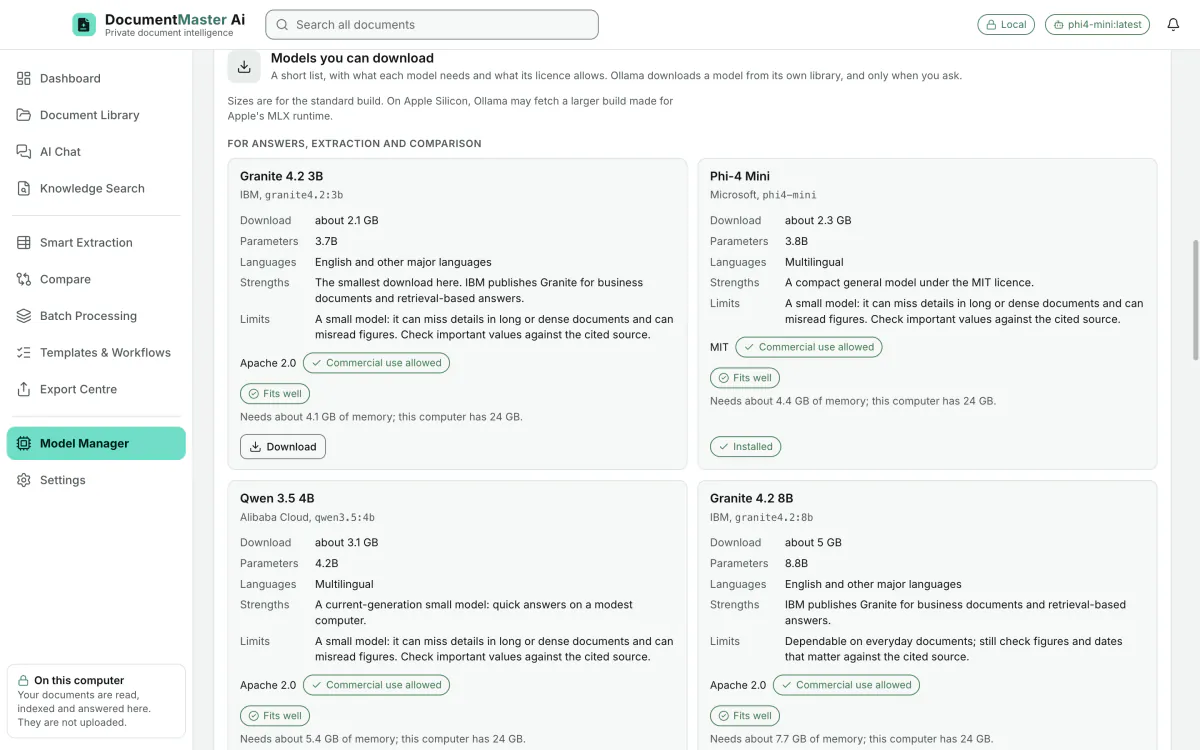
Scanned pages and photos are read on your Mac in 33 languages, including Hindi and Marathi. Answers can be written in 13 languages, and numbers and dates can follow the Indian style, such as 12,34,567.00.
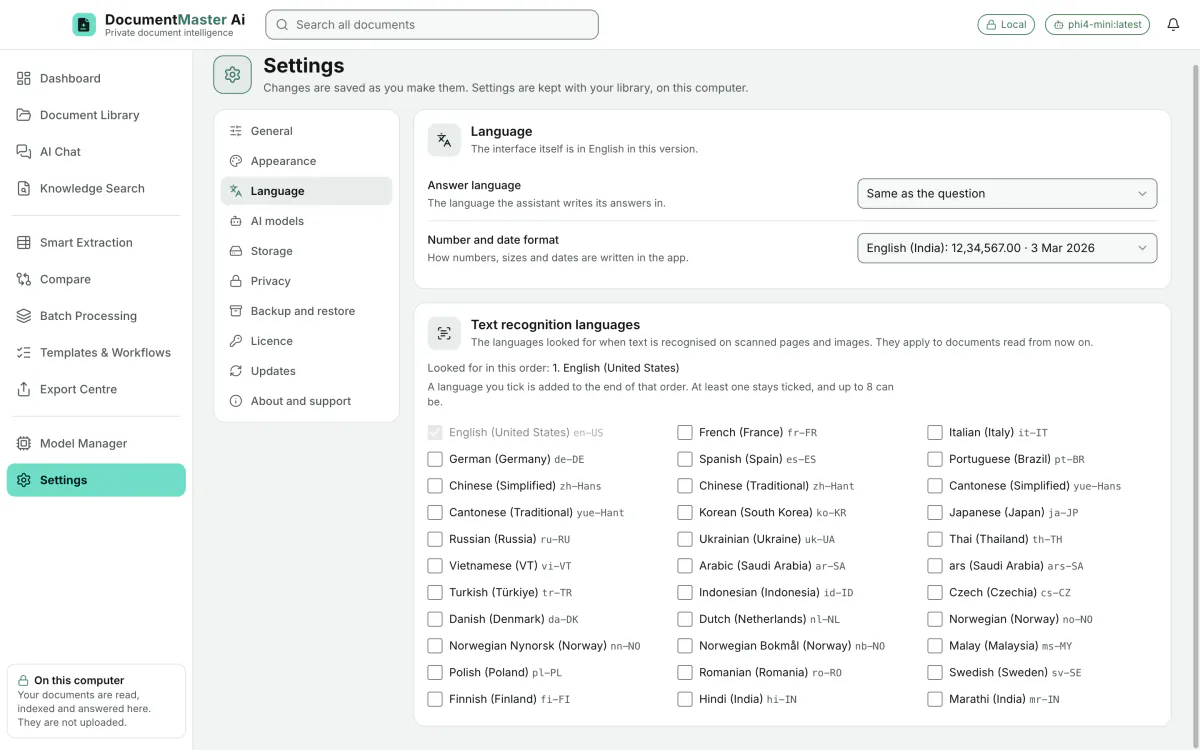
Dark, light, or follow your Mac. Four text sizes, a compact view for more on screen, and a window that works down to 1080 × 680.
Free, then Personal Pro. Pay monthly, yearly or once.
DocumentMaster Ai is not released and has no checkout yet.
₹0
A real edition with written limits.
₹199
A 30-day pass. No auto-renewal.
₹1,499
365 days. No auto-renewal.
₹3,999
Paid once.
[OWNER TO CONFIRM: is the launch offer live?] [OWNER TO CONFIRM: Lifetime update period]
No. Documents, their text, the search index and your conversations stay on your Mac. No document, question or answer is sent to AI Masters India or to any online AI service.
It reads, searches and answers on your Mac, and nothing is uploaded. Downloading a model needs the internet, and Ollama, the free program that runs the models, has its own update check. We call it local-first, not offline.
A Mac with Apple Silicon and macOS 14 or later, Ollama (free), and two models you download once from inside the app. 8 GB of memory works with the smallest models; 16 GB or more is comfortable.
The ones you choose: fourteen are offered, all under Apache 2.0 or MIT, or any other model Ollama can run. None is bundled in the installer.
No. Small local models can misread figures. That is why every answer cites the document and page, sentences without a source are marked, and extracted values show their source passage and arithmetic checks. Check important figures against the cited page.
Free, then Personal Pro at ₹199 for a 30-day Monthly pass, ₹1,499 for a Yearly pass or ₹3,999 once. [Checkout is not open yet].
Within 14 days of purchase, in full.
DocumentMaster Ai is for Apple Silicon Macs with macOS 14 or later. It is not released yet.